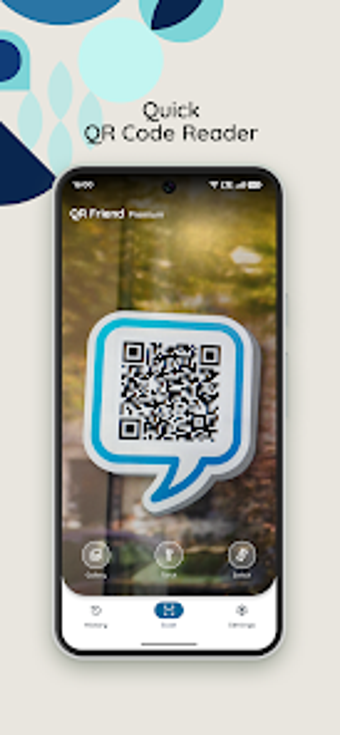
Fast QR and Barcode Reader with Built-in Generator
QR Friend: Scanner & Reader, developed by Bloco Studio, provides fast scanning and QR-code creation for Android users. It decodes 1D and 2D codes using the device camera or imported images and generates custom codes for URLs, text, contacts, and Wi‑Fi. Key tools include a History log, flashlight and zoom for low light, gallery scanning, and minimal camera permission requirements. The app targets Android users who need a lightweight, privacy-focused scanner for daily tasks.
What code types and creation options does it handle?
The app parses both common 1D and 2D formats, with explicit support for QR, Data Matrix, Aztec, UPC, EAN, and Code 39. Scanning can occur live through the camera or from imported photos, and a built-in generator creates codes for links, plain text, contact cards, and Wi‑Fi credentials. The result list shows decoded content ready for copy, share, or saving to the automatic History log.
Does scanning affect device battery life or responsiveness?
QR Friend is described as having lightweight performance designed for a broad range of Android hardware, which reduces the chance of noticeable battery drain during short scanning sessions. Scans are instantaneous for visible codes, and the app supports flashlight and digital zoom to avoid repeated attempts under poor lighting. Core scan and generation functions operate offline, so routine scanning does not require network activity.
Is it safe to use with minimal permissions?
The app uses a privacy-focused design and asks only for essential camera permissions to function. Scanning and code generation work without an internet connection, while opening decoded web addresses needs network access. The automatic History feature stores previously scanned and created codes for quick retrieval, so users should review stored entries if they manage sensitive information on the device.
Do I need technical knowledge to operate it correctly?
The interface removes unnecessary clutter and exposes scanning and creation workflows directly, making daily use approachable for casual users and nontechnical staff. Features like gallery import, flashlight toggle, and an automatic history reduce manual steps. Professionals who require bulk inventory management or advanced data export tools may find the app focused on single-item scans rather than large-scale cataloguing.
A practical choice for everyday scanning, not for large-scale inventory tasks
QR Friend is a practical option for Android users who need quick code access with a low-privacy footprint, given its minimal permission model and offline operation. Its trade-off is an emphasis on simplicity rather than enterprise inventory or bulk export capabilities. For everyday tasks like menu access, contact sharing, and occasional code creation, the app suits users who prefer a compact, privacy-conscious scanner.
Pros
Supports QR, Data Matrix, Aztec, UPC, EAN, Code 39 formats
Built-in QR generator for URLs, text, contacts, and Wi‑Fi
Automatic History log for quick access to past scans
Requires only essential camera permissions
Cons
Not tailored for high-volume inventory or bulk cataloguing
Opening scanned URLs requires an internet connection
Loading…
About permissions
Before downloading, you can take a quick look at the permissions this app may request on your device. App permissions allow certain features to work properly, such as accessing your camera to take photos, your location for maps, or your storage to save files.
In this section, you’ll find a clear and simple overview of the types of permissions the app uses, grouped by their level of sensitivity, along with a visual breakdown to help you understand them at a glance. This way, you can see how the app interacts with your device and decide to download with confidence.
Permissions types
Standard
67%
Sensitive
33%
Permissions distribution
Data collected
67%
Data shared
33%
Data safety info
Data collected
2 permissions
Information the app may gather from your device or usage activity to enable features, personalize content, and improve overall performance.
android.permission.CAMERA
Sensitive
android.permission.ACCESS_NETWORK_STATE
Standard
Data shared
1 permissions
Information that may be shared with trusted third parties to provide services, support app functionality, or deliver relevant content.
android.permission.INTERNET
Standard
This report summarises the permissions declared by the app at the time of scanning and groups them into Privacy, Data collected and Data shared. A declared permission shows what the app can access, it does not necessarily mean personal data is collected or transmitted. For full details check the app’s privacy policy and the developer’s clarifications shown below. Softonic generates this report automatically from the package metadata; it is informational and not a substitute for a full security or privacy audit.
Laws concerning the use of this software vary from country to country. We do not encourage or condone the use of this program if it is in violation of these laws. Softonic may receive a referral fee if you click or buy any of the products featured here.